Daksh Pandey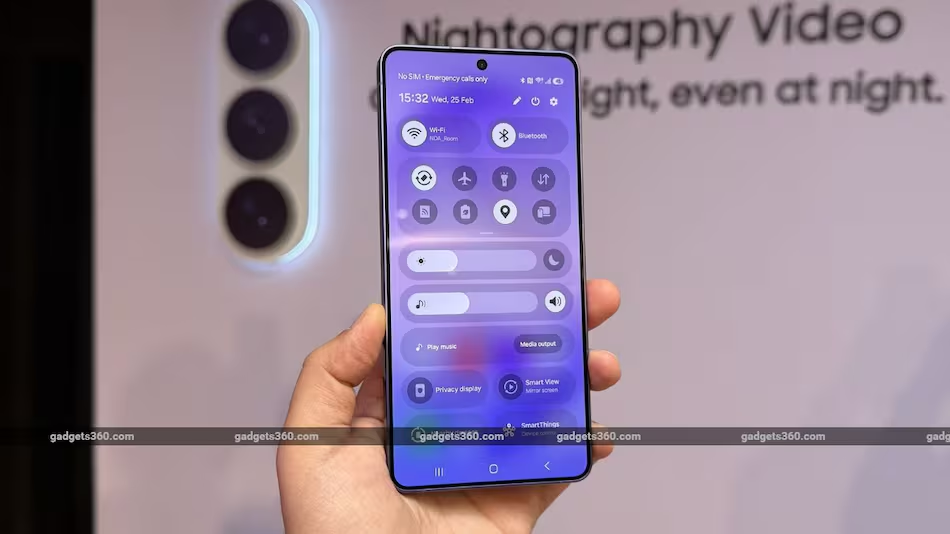
Samsung has come up with a security feature called Inactivity Restart for its Galaxy smartphones. This feature automatically restarts the Samsung Galaxy smartphone if it stays locked and unused for 72 hours. This helps protect data if the Samsung Galaxy smartphone is lost, stolen or left unattended.
This update is part of Samsungs efforts to strengthen smartphone security on devices running One UI, the companys Android-based user interface. The new Inactivity Restart feature is already appearing on some Samsung Galaxy devices with the February 2026 security patch and newer software builds.
Samsung Galaxy Smartphones Get Inactivity Restart Security Feature
1.
Today Samsung Galaxy smartphones contain a lot of information such as photos, emails, banking apps, passwords and more. Because of this manufacturers like Samsung constantly develop ways to protect user data from unauthorized access.
Samsung, one of the worlds smartphone manufacturers has taken another step in this direction by introducing the Inactivity Restart security feature in its Samsung Galaxy smartphones. The Inactivity Restart feature is designed to reboot the Samsung Galaxy smartphone if it remains locked for a long time.
This update may seem small. It represents a significant improvement in mobile device security especially in situations where Samsung Galaxy smartphones are lost, stolen or seized.
2. What Is the Inactivity Restart Feature?
The Inactivity Restart feature automatically restarts a Samsung Galaxy smartphone after 72 hours of remaining locked and unused.
In terms:
If the Samsung Galaxy smartphone is not unlocked for three days
And it remains completely locked the entire time
The Samsung Galaxy smartphone will automatically reboot itself
After rebooting the Samsung Galaxy smartphone enters a more secure system state requiring authentication before data becomes accessible.
Key points about the Inactivity Restart feature:
restart after 72 hours of inactivity
Works only if the Samsung Galaxy smartphone remains locked
Adds another layer of data protection
Found in Security and Privacy settings
Can usually be enabled or disabled manually
3. Why Samsung Introduced This Feature
The main reason behind the Inactivity Restart feature is data security.
Modern Samsung Galaxy smartphones store information, such as:
Personal photos and videos
Banking and payment apps
Passwords
Contacts and messages
Social media accounts
Work documents
If a Samsung Galaxy smartphone falls into the wrong hands hackers or thieves may attempt to access the stored data.
The new Inactivity Restart feature helps protect users because a reboot places the Samsung Galaxy smartphone in an encrypted state making it harder for attackers to extract information.
4. How the Security Mechanism Works
To understand the importance of the Inactivity Restart feature it is useful to know how Samsung Galaxy smartphone security works.
There are two security states in Samsung Galaxy smartphones:
Before First Unlock (BFU)
After First Unlock (AFU)
Before First Unlock (BFU):
When a Samsung Galaxy smartphone is restarted:
Data remains encrypted
Biometrics like fingerprint may not work
Only the PIN or password can unlock the Samsung Galaxy smartphone
This is the secure state.
After First Unlock (AFU):
After the unlock:
Some encrypted data becomes accessible
Apps can function normally
Biometric authentication becomes active
While still secure AFU is slightly less secure than BFU.
What the Inactivity Restart feature does:
The Inactivity Restart feature forces the Samsung Galaxy smartphone back into the BFU state by rebooting it.
That means:
The strongest encryption is activated
Data extraction becomes harder
Unauthorized access is limited
5. Where the Feature Is Located
Users can find the Inactivity Restart option in the Samsung Galaxy smartphone settings.
Steps to enable or disable:
Open Settings
Tap Security and Privacy
Go to More security settings
Find Inactivity Restart
Toggle it on or off
The Inactivity Restart feature is typically enabled by default on supported Samsung Galaxy smartphones.
6. Which Samsung Phones Support It
The Inactivity Restart feature has been spotted on newer Samsung Galaxy devices.
Reported devices include:
Galaxy S25 series
Galaxy Z Fold 7
Galaxy S26 models
devices receiving new security patches
It is expected to expand to more Samsung Galaxy smartphones as Samsung rolls out software updates.
7. Integration With One UI
Samsung Galaxy smartphones run on One UI, which’s the companys customized Android interface.
One UI is designed to provide:
User- design
Samsung-specific features
Improved security
Better device performance
The Inactivity Restart feature has been integrated into One UIs Security and Privacy settings making it easily accessible for users.
8. Relationship With Android Security Updates
Interestingly the concept behind the Inactivity Restart feature did not originate from Samsung.
Google introduced a feature for Android devices through Google Play Services updates.
Samsung has now integrated the capability into its system software.
This means Samsung Galaxy users benefit from both:
Androids base security features
Samsungs protection layers
9. Similar Features on Other Platforms
Samsung is not the company implementing this type of security measure.
Apple iPhones:
Apple introduced a feature in iOS 18.1 which restarts iPhones after several days of inactivity.
Android ecosystem:
Google also rolled out a restart feature that reboots Android phones after three days of being locked.
This indicates an industry trend toward automatic security resets.
10. Benefits of the Inactivity Restart Feature
The Inactivity Restart feature offers advantages for Samsung Galaxy smartphone users.
1. Stronger Data Protection
If someone steals a Samsung Galaxy smartphone but cannot unlock it the device will eventually. Lock data behind stronger encryption.
2. Protection Against Digital Forensics Attacks
In some cases attackers attempt to extract data from locked Samsung Galaxy smartphones using tools.
A reboot reduces the risk by forcing the device into a state.
3. Safety When a Samsung Galaxy Smartphone Is Lost
If a user misplaces their Samsung Galaxy smartphone:
The device automatically locks itself securely
Data becomes harder to access
4. Automatic Security Without User Action
Many users forget to restart their Samsung Galaxy smartphones.
The Inactivity Restart feature ensures the device periodically returns to a state without requiring manual action.
11. Impact on Everyday Users
For users the Inactivity Restart feature will have minimal impact on daily usage.
Reasons:
It only activates after three days of inactivity
Samsung Galaxy smartphones are typically unlocked times a day
It works silently in the background
Therefore the average user may never notice it unless they leave their Samsung Galaxy smartphone unused for several days.
12. Possible Limitations
While the Inactivity Restart feature is useful it does have some limitations.
1. Only Works When the Samsung Galaxy Smartphone Is Locked
If the Samsung Galaxy smartphone remains unlocked the feature does not activate.
2. May Interrupt Long-Term Background Tasks
In cases apps running in the background for days could be interrupted by the restart.
3. Not Available on All Devices Yet
Older Samsung models may not receive the Inactivity Restart feature immediately.
13. Security Ecosystem of Samsung Phones
Samsung Galaxy smartphones already include security systems, such as Samsung Knox.
Samsung Knox provides:
Hardware-level encryption
Secure data containers
Enterprise device management
Protection against malware
The Inactivity Restart feature adds another layer to this ecosystem.
14. Why Smartphone Security Is Becoming Important
Cybersecurity threats are growing rapidly.
Some Samsung Galaxy smartphone risks include:
Phone theft
Malware attacks
Spyware
Data extraction tools
Identity theft
Because Samsung Galaxy smartphones hold so much personal information manufacturers like Samsung must continuously upgrade security systems.
Automatic security features like the Inactivity Restart feature are part of this evolution.
15. Future of Smartphone Security
Security features like the Inactivity Restart feature may become standard across all devices.
Possible future developments include:
AI-based threat detection
lockdown during suspicious activity
Advanced biometric protection
Real-time encryption monitoring
Improved lost-device protection
Samsung is likely to expand these technologies in upcoming Samsung Galaxy smartphones.
16. Why This Update Matters
Although it may appear to be a software change the Inactivity Restart feature represents an important shift in Samsung Galaxy smartphone security philosophy.
Of relying solely on users to protect their devices manufacturers like Samsung are now building automatic security mechanisms that work silently in the background.
This helps protect users who are not familiar with security settings.
The Inactivity Restart feature is an addition to the security toolkit of Samsung Galaxy smartphones. By restarting a device after 72 hours of inactivity the system places the Samsung Galaxy smartphone in a more secure state that protects sensitive user data.
As Samsung Galaxy smartphones continue to store personal and financial information security innovations like this will play a crucial role in preventing unauthorized access and safeguarding user privacy.
The Inactivity Restart feature also reflects an industry trend where smartphone manufacturers such, as Samsung, Google and Apple are introducing automatic security measures to keep devices protected even when users are not actively managing their settings.
In the coming years we can expect smartphone security systems to become more sophisticated, combining encryption, artificial intelligence and automated protection to ensure that personal data remains safe at all times.