Daksh Pandey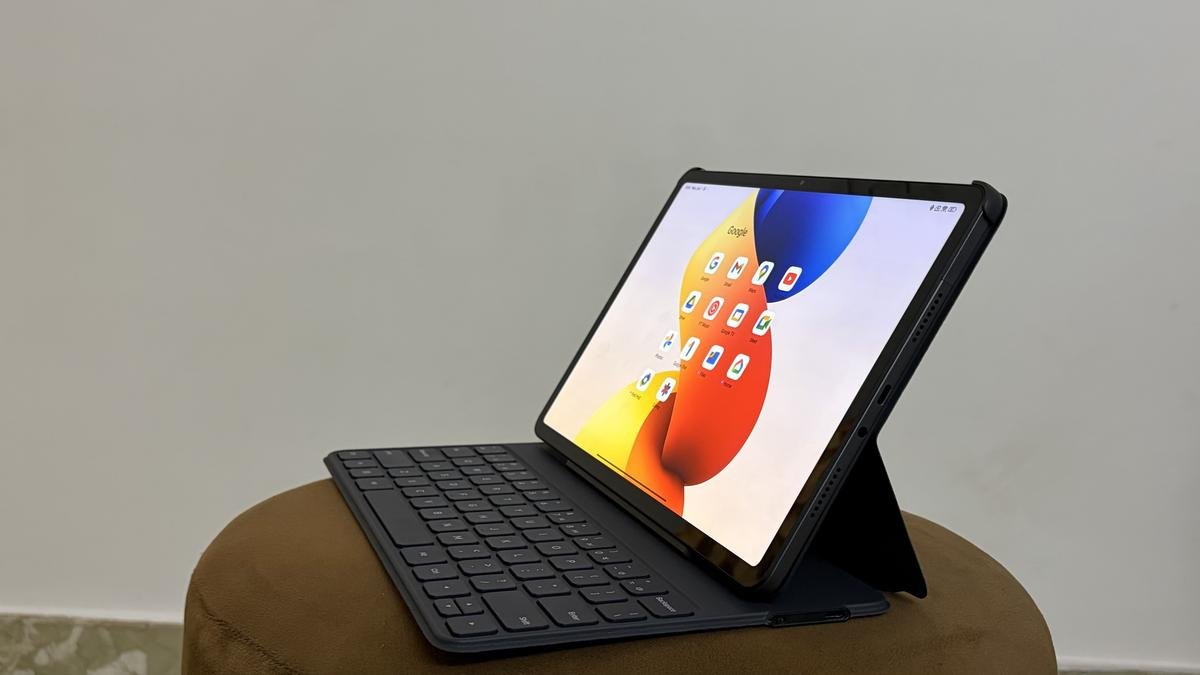
Redmi Pad 2 Pro Review: A well-thought-out upgrade rather than a cosmetic refresh
The Android tablet market has a funny problem: many brands still treat tablets like oversized phones—bigger screen, bigger battery, and a slightly tweaked UI—and then call it a day. Redmi, with the Pad 2 Pro, is trying to do something more deliberate: build a mid-range tablet that doesn’t just look good on a spec sheet, but actually makes sense in everyday “tablet life”—watching content, taking notes, reading, light work, and the occasional keyboard-and-trackpad moment.
In India, the Redmi Pad 2 Pro is positioned as a productivity-friendly device with optional accessories like a keyboard cover and stylus, and it aims to land on that sweet spot: cheaper than premium tablets, but more capable than entry-level ones. Reviewers have described it as a tablet that can quietly earn a permanent place on a desk, not through flashy gimmicks, but by being consistently useful.
This review breaks down what Redmi got right (and what it didn’t), and whether the Pad 2 Pro is the kind of upgrade you should care about.
What’s new here, and why it matters
A “cosmetic refresh” is when a company changes colors, adds a slightly newer UI skin, bumps storage, and calls it a new generation. A real upgrade improves the experience in ways you feel daily.
The Redmi Pad 2 Pro’s upgrades fall into three practical buckets:
- A large, sharper, smoother display aimed at long viewing and reading sessions (12.1-inch, 2.5K class resolution, high refresh rate).
- A massive battery (12,000mAh) designed to make charging anxiety almost irrelevant for typical tablet use.
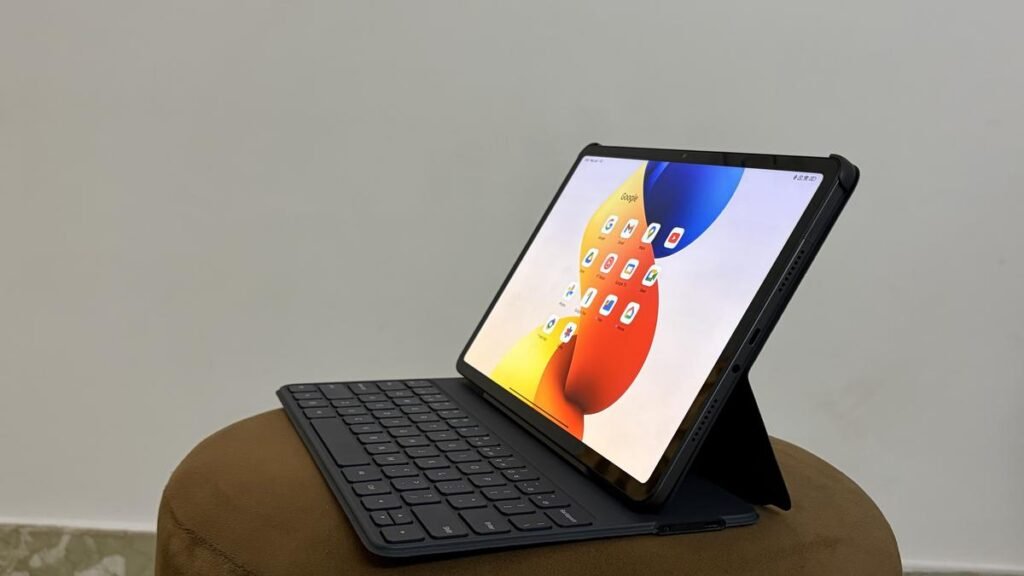
- A “work-ready” accessory ecosystem—keyboard cover + stylus—so it can behave like a mini-laptop when needed, without pretending it’s a full laptop replacement.
That’s the theme: not dramatic reinvention, but thoughtful refinement where it counts.
Design and build: familiar, but practical
The Pad 2 Pro doesn’t scream “premium flagship tablet,” but it also doesn’t feel like a budget compromise. Redmi typically plays this design game well: clean lines, minimal fuss, and a chassis that’s solid enough for daily handling.
What matters more than “wow design” in a tablet is how it behaves in real life:
- Does it feel stable on a desk with a keyboard case?
- Is it comfortable in hands for reading?
- Does it wobble when you tap hard while writing with a stylus?
- Are the buttons and ports placed in a sensible way?
The Pad 2 Pro’s design choices lean toward usability. And if you plan to use a keyboard cover, the overall build becomes less about how thin it looks and more about whether it feels sturdy enough to type on for a couple of hours.
In short: not a fashion statement, but built to be lived with.
Display: the real everyday upgrade
A tablet lives and dies by its screen. Phones can get away with smaller displays because they’re always close to your eyes. Tablets are different: you watch, read, sketch, and split-screen more. The Pad 2 Pro leans into that reality with a 12.1-inch display, 2.5K-class resolution, and a high refresh rate up to 120Hz.
Why 12.1-inch matters
This size is big enough to feel “laptop-like” when used horizontally, yet still portable enough to move room-to-room. It’s also a sweet spot for:
- split-screen multitasking (notes + YouTube, Chrome + Docs),
- reading PDFs without constant zooming,
- drawing/writing with a stylus where your palm has space.
Resolution + refresh rate: not just numbers
A sharper panel matters for text clarity—especially if you read a lot or take notes. A smoother refresh rate makes scrolling feel more fluid and reduces that “cheap tablet jitter” in UI movement.
From a day-to-day perspective, this is one of the most noticeable upgrades. You don’t need to be a display expert to feel the difference. High refresh rate + good resolution simply makes the tablet feel more modern.
Audio: quad speakers that actually help the experience
A lot of tablets advertise quad speakers, but the real question is: do they get loud without sounding harsh? Review coverage highlights that the Pad 2 Pro’s quad-speaker setup with Dolby Atmos is genuinely loud and enjoyable for entertainment.
This matters because tablets are often used:
- in bed,
- in kitchens,
- during travel,
- or while doing chores—where you aren’t always wearing headphones.
If speakers are good, your tablet becomes a mini TV. If speakers are mediocre, it becomes a “headphones required” device, which kills casual use.
For movies, casual YouTube, online classes, and video calls, solid speakers are a real quality-of-life upgrade.
Performance: Snapdragon 7s Gen 4 is a sensible choice
Redmi chose the Snapdragon 7s Gen 4 for the Pad 2 Pro.
This is a smart mid-range chip decision: it’s not trying to win benchmark wars, but it’s strong enough for the tasks most people actually do on a tablet:
- multitasking with split screen,
- browsing with many tabs,
- streaming in high quality,
- productivity apps (Docs, Sheets, slides),
- note-taking apps,
- casual to moderate gaming.
Review impressions suggest it stays smooth for productivity-style workloads and general use.
The honest reality: “tablet dreams, laptop reality”
Some marketing around productivity tablets can be a bit… ambitious. The Pad 2 Pro can support work, and with a keyboard it can feel like a lightweight laptop alternative. But Android tablets still depend heavily on app optimization and the OS’s approach to multitasking.
So the right expectation is:
- Excellent for light work + study
- Good for email/docs/notes
- Decent for multitasking
- Not a full laptop replacement if your workflow depends on heavy desktop tools or very specific professional apps.
That’s not a flaw unique to this tablet—it’s the nature of Android tablets for most users.
Battery: the headline feature that actually delivers
The biggest “real-world” win is the 12,000mAh battery.
Reviewers describe battery life as a standout—something that keeps going and going, making the tablet feel dependable in a way that smaller-battery tablets don’t.
Why this changes the experience
A tablet isn’t always used like a phone (daily constant charge cycles). Many people pick up a tablet intermittently:
- 40 minutes of YouTube,
- 90 minutes of study,
- a Netflix episode at night,
- weekend reading.
With a huge battery, the Pad 2 Pro can sit there ready for days without you worrying about it being dead when you need it. That turns it into a more “casual-friendly” device—always available, always ready.
It’s one of those upgrades that sounds boring until you live with it.
Accessories: stylus + keyboard are not afterthoughts
Redmi’s positioning here is clear: this tablet is meant to be used with accessories, not just sold with them. Coverage highlights stylus and keyboard support as part of the tablet’s productivity identity.
Stylus use case: students, notes, and creatives-lite
If you’re a student, a stylus turns the tablet into:
- a note-taking notebook,
- a PDF annotation tool,
- a diagram sketchpad,
- a revision companion.
For artists, it depends on the stylus quality, latency, and app experience. It may not replace high-end iPad + Apple Pencil workflows, but it can be enough for casual drawing and design practice.
Keyboard cover use case: “I need to type sometimes”
A keyboard can transform the tablet from a consumption device to a light work machine:
- typing assignments,
- writing emails,
- drafting notes,
- editing documents.
The most important part isn’t just the keyboard—it’s how well the software supports switching between tablet mode and “work mode.” Redmi’s broader software stack and Android’s multitasking tools matter a lot here.
Software experience: the part that can make or break tablets
Specs matter, but software decides whether you enjoy the tablet.
In Android tablets, you typically care about:
- split-screen stability,
- floating windows (if supported),
- pen features (palm rejection, note apps),
- keyboard shortcuts,
- file management,
- update policy and bloat.
Reports mention the tablet runs on a modern Android platform (some launch coverage references Android 15).
Still, your experience will depend on how Xiaomi/Redmi’s interface handles large screens.
The best sign here is that reviewers describe it as something that fits into “work + leisure” naturally—meaning it’s not fighting you every time you try to do something slightly productive.
Cameras: functional, not a selling point
The Pad 2 Pro has 8MP rear and 8MP front cameras in many spec listings.
That’s typical tablet territory—good enough for:
- video calls,
- scanning documents in decent light,
- occasional snapshots when your phone isn’t nearby.
But tablets are rarely chosen for their cameras, and you shouldn’t buy this expecting flagship imaging.
The front camera quality matters more because of online classes and Zoom/Meet calls. If that’s a major use case for you, the key is whether it looks clean and handles indoor lighting reasonably.
Connectivity and variants: Wi-Fi vs 5G
In India, the Pad 2 Pro is available in Wi-Fi and 5G variants.
Your decision here depends on how you plan to use it:
- Wi-Fi model is enough if you mostly use it at home, college Wi-Fi, or office.
- 5G model makes sense if you travel often, need always-on connectivity, or plan to use it for work outside reliable Wi-Fi.
Launch/availability reports note sales starting around January 12, 2026 in India via major platforms.
Price and value: why it feels like a real upgrade
Pricing reports place it starting around ₹24,999 for a base variant, with 5G variants higher.
Here’s the value argument Redmi is making:
- Big, sharp, smooth screen
- Big battery that reduces daily friction
- Speakers good enough to matter
- A chip that doesn’t feel underpowered
- Accessory support for notes + typing
That combination is what makes it feel like an “upgrade that makes sense,” rather than a new model that exists only to refresh a product page.
The downsides: where you may feel compromises
No mid-range tablet is perfect. Based on positioning and review impressions, here are the realistic pain points you should consider:
1) It won’t fully replace a laptop
Even with a keyboard, Android tablets can feel limiting if your work depends on:
- desktop-grade software,
- heavy multitasking,
- advanced file workflows,
- specialized apps.
This tablet aims for “light productivity,” not “professional workstation.”
2) Accessory cost can change the value equation
The base tablet price may look attractive, but if you need the keyboard + stylus, your real cost goes up. For some buyers, that still remains good value; for others, it may push them closer to alternative ecosystems.
3) Mid-range performance isn’t meant for hardcore gaming
The Snapdragon 7s Gen 4 is a sensible performer, but if you want sustained high-frame gaming on heavy titles at max settings, that’s not what this category targets.
Who should buy the Redmi Pad 2 Pro?
Buy it if you are:
1) A student
For notes, PDFs, online classes, and assignments—especially if you can add a stylus. Big battery and big screen are perfect for study life.
2) A content consumer who wants a “mini TV”
The combination of large 2.5K display + quad speakers + big battery makes it great for long binge sessions without living near a charger.
3) A light productivity user
Emails, docs, browsing, meetings, and occasional typing—this is the kind of work it’s built for, especially with the keyboard.
Skip it (or rethink) if you are:
1) A power user who needs a laptop replacement
You may be happier with a proper laptop, or a higher-end tablet ecosystem, depending on your workflow.
2) Someone who wants the best stylus ecosystem
If advanced drawing/note ecosystems are your main goal, you should compare stylus quality and app experience carefully before committing.
Final verdict: a real upgrade in the ways that matter
The Redmi Pad 2 Pro’s biggest achievement is that it doesn’t chase a “wow factor” at the expense of usability. Instead, it upgrades the things people actually notice day after day:
- a bigger, sharper, smoother display,
- a battery that makes charging an afterthought,
- speakers that make entertainment genuinely enjoyable,
- and accessory support that’s meant to be used, not just advertised.