Daksh Pandey

AI Features Concealed in Your Phone by 2025
Smartphones haven’t been just phones for many years. By 2025, most modern handsets boast specialized silicon, optimized frameworks, and baked-in models that enable them to perform tasks hitherto reserved for cloud servers: generating images, summarizing long conversations, editing photos like a pro, translating in real time, and even managing system resources using predictive intelligence. That said, many of these capabilities remain obvious-Siri and Google Assistant, for example-but a surprising number lurk invisibly in the apps, system services, and OEM skins and automatically trigger in the background or live in UI elements you almost never touch. Following are the broad class of “secret” AI features they actual do, and how to surface or disable them if you want.
- On-device generative AI — “creative tools that live in your pocket”
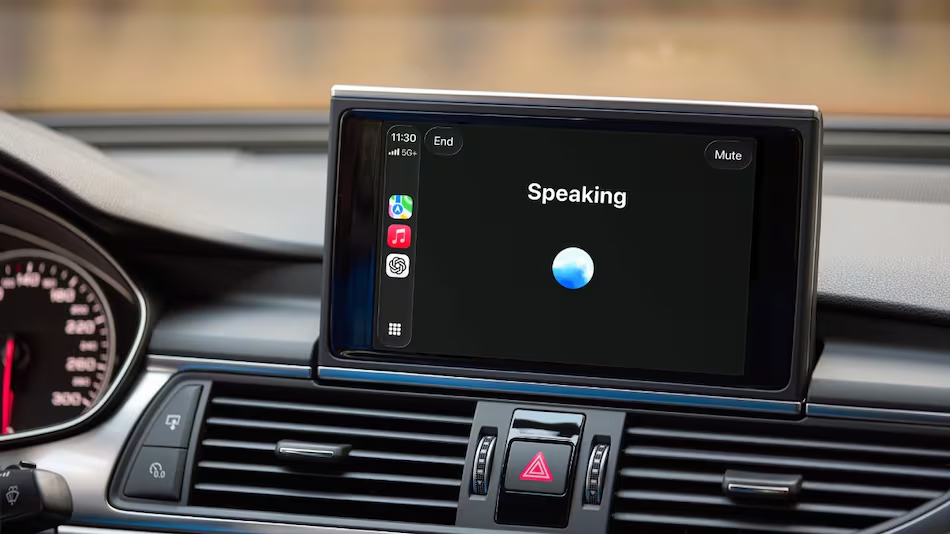
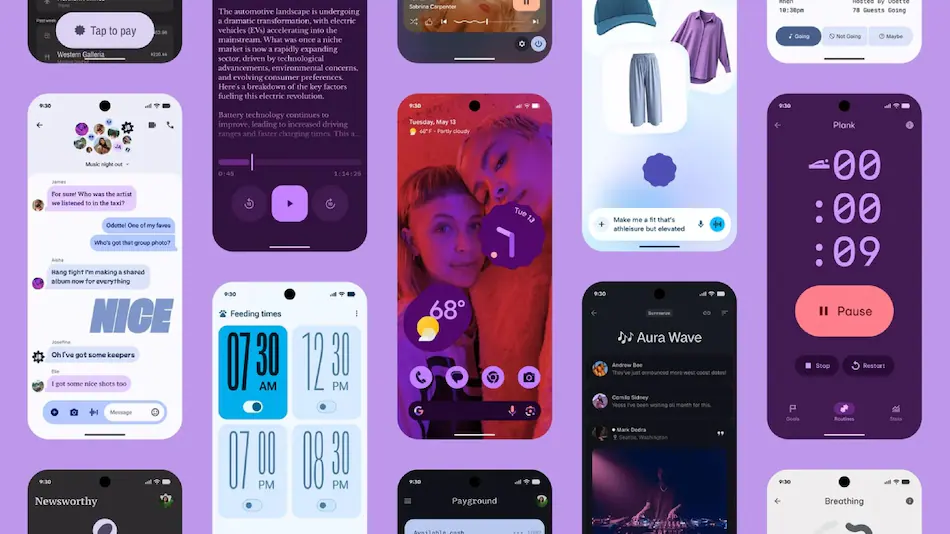
In 2024–25 the major OS vendors pushed on-device generative AI: Apple’s “Apple Intelligence” deeply integrated into iOS, Google’s work to embed Gemini/AI features into Android and Chrome, and Samsung’s Galaxy AI tools integrated with One UI. These systems, unlike early cloud-only models, run locally for speed and privacy-aware use-cases such as generating text, photos to illustration, stickers and short images, or producing short-form audio. That means asking your phone to write a reply to a text, rewording a note, creating stylized images out of your photo library, or auto-generating emojis from your face — often without obvious cloud activity.
Apple
+2
Samsung sg
+2
Why “hidden”? Because these engines are often embedded inside utilities and features of apps – “Edit” flows in Photos, the keyboard’s suggestion bar, share-sheet extensions, or a compact assistant button – rather than presented as a discrete “AI app.” You never need to download an app for generative AI; your phone silently surfaces options for AI inside existing UI, so many users assume it’s just “built-in” magic.
- Camera and photo AI: auto-editing, object removal, and scene-aware tricks
The most obvious place for AI is in the camera, but many of the advanced functions are tucked behind the edit button or into OEM “AI photo studio” flows:
Scene detection & exposure tuning: The modern camera stacks actually analyze the contents of frames – that is, faces, pets, the sky, food – and tune exposure, contrast, and HDR processing based on those.
Object removal & content-aware edit: Tools like Magic Eraser, Samsung’s AI Photo Edit, and other OEM editors can remove strangers, seam edges, or unwanted objects by swiping over them, leveraging often local neural processing for immediate results.
Motion and Ultra HDR processing: Phones now capture motion photos and do hybrid auto-exposure/Ultra HDR that stitches many frames into a better dynamic-range image.
Auto-summarize & highlight reels: Thanks to subject recognition and motion analysis, your gallery can auto-create highlight videos or collage previews, picking the “best” shots.
Google Store
+2
Samsung SG
+2
Most users see only a single slider or an “enhance” button — but the stack runs dozens of small models: facial landmark detection, human segmentation, sky replacement, and style-transfer. If you poke through the “Edit” > “Adjust” menus or try the “AI” or “Enhance” toggles in Photos/Gallery, you’ll reveal options which quietly computed in the background.
3) Conversational & contextual assistants: summarize, inbox triage, now brief
The phones nowadays play the role of small, personal assistants – tracking context (calendar, location, messages) and compressing information into short, actionable cards:
Auto-summaries of long conversations: The assistant can scan a long messaging thread and provide a short “What happened” summary or action list (names, decisions, dates).
Call and meeting recaps: Certain workflows using Android and iPhone summarize recorded/typed meeting notes, emphasize decisions, or create follow-up bullets — quite often automatically attached to a calendar event.
Personalized briefings-a.k.a. “Now Brief”, daily digest: Systems recommend schedule overviews, energy/battery advice, travel information, and suggested routines for the day based on daily habits. These personalized briefings surface as small notifications-feeling more like “tips”-but generated by models, having access to your device’s context.
Samsung SG
+1
Because they’re integrated into notifications and the assistant UI, many users don’t even realize these are ML-generated summaries rather than handcrafted alerts.
- Live translation, transcription, and accessibility AI
It includes accessibility and live conversion, one of the less flashy, but really powerful uses for phone AI being able to support:
Real-time transcription & captioning: Live captions for calls and media are generated locally or with selective cloud help; they can transcribe speech in real-time and even identify speakers.
On-device translation: Instant translation of speech or camera text-point your camera at a sign and it becomes your language-is way more accurate and sometimes works offline, thanks to phone-optimized models.
Assistive features include voice control, reading assistance, where an article might be summarized aloud, and smart visual descriptions for those who cannot see elements properly, which are AI-driven and most often switched on via accessibility settings.
Android
+1
These features often bury themselves under Accessibility, Keyboard, or Camera settings-not front-and-center in the main app list.
5) System & resource AI: batteries, performance, and networking
Predictive AI is now used by phones not only for content but also to manage hardware:
Adaptive battery and CPU scheduling: ML models learn usage patterns, throttling or prioritizing apps to extend battery life while maintaining performance. It may delay background tasks, prewarm the apps you use frequently at certain times, or adjust refresh rates.
Network and modem intelligence: phones can prioritize traffic, prefetch content on Wi-Fi, and selectively push updates based on predicted user behavior.
Storage housekeeping: Assistants in the gallery and filesystem suggest which videos or duplicates are to be removed, compress background thumbnails intelligently.
Cashify
Most of these systems run either as background services or “Device care” features and are not easily noticeable unless you look at battery or performance settings.
- Privacy, security & anti-fraud AI
Security has also gone quietly AI-first:
Biometric anti-spoofing: Liveness detection models in face and fingerprint systems are designed to find the presence of a fake face or replay attack.
Spam detection and filtering: ML is in use with messaging apps and system SMS filters for the detection of spam and phishing attempts; email clients highlight suspicious links and redact previews.
Failed-authentication protections: Newer OEM updates include theft-protection logic that locks or freezes the device after a pattern of suspicious activity. These protections may run locally without user intervention.
Lifewire
Because they act in the background, many users will never know an AI decision prevented a fraudulent message or stopped a malicious biometric attempt.
7) Behind-the-scenes developers and API integrations–app-level AI you don’t notice
Android and iOS provide a set of APIs for developers that enable third-party applications to call into system-level AI features:
Writing and Image APIs: Writing tools and image playgrounds are exposed to the applications so that the developers do not have to ship models themselves.
App Functions and Gemini Extensions: Android provides intents and APIs for apps to leverage device AI for summarization, image edits, and conversational functionalities-applications can usually do this without additional consent flows because they depend on already granted app permission.
Android Authority
+1
What this “plumbing” really means is that many small features in apps, like smart replies, auto-generated product descriptions, or in-app image generators, actually use the AI capabilities of your phone behind your back.
How to find and enable these “hidden” features
Check the features in both the Photos and Messages apps via long-press and the Edit menu – this is where you’ll find many AI edits.
Review Apple Intelligence (iOS)/Assistant/Gemini settings (Android). Toggle generation and data access on/off.
Apple
+1
Open Settings → Accessibility & Camera for toggles related to live captions, transcription, and translation.
Device maintenance/ battery pages show adaptive battery and performance management. You can exempt specific apps.
OEM-specific AI Hubs: Samsung’s “Galaxy AI” Panel, Apple’s Intelligence Hub, or Google Features page could centralize toggles and demos.
Samsung sg
+1
Privacy trade-offs – what the models see, and where the processing happens
One important reason these features are largely hidden is that the line between “local” and “cloud” is not particularly clear:
On-device processing keeps sensitive data on your phone, is faster, and vendors advertise it for privacy.
Cloud fallbacks are still selective, which is when requests get complex-bigger generative tasks or queries that need facts from the web-or when model size is larger than what runs locally. Those fallbacks will ask for permission or present some kind of indicator, but the UI isn’t always crystal-clear.
Business Standard
+1
If privacy is a top priority, revisit the assistant’s data settings and model options. Apple and Google have documented pathways for local model processing versus cloud use — but many apps will still request permission to send data off-device for “improved results.”
Tips for power users
Apply the “airplane + local tools” test: Turn airplane mode on and then try to generate images or captions. If it works, its on-device.
Observe network indicators when you press an “AI” button: cloud calls are often triggered with short network activity.
Audit app permissions for microphone, camera, and files — AI features often piggyback on those permissions.
Look for “AI” or “Intelligence”-dedicated in-app dashboards settings: Apple Intelligence, Galaxy AI hub, Google Assistant settings. There you can switch all the model-based features off if you want fewer surprises.
Apple
+1
The ethical & UX problem: surprise automation and consent
It’s convenient, yet hidden AI raises UX and ethical questions. In an age when users expect their phone to “just do things,” does that reconcile with automatic edits, auto-summaries, or decisions to block a message? Intelligent phones will need clearer permission flows, granular toggles, and explainable AI notifications. The platforms are getting there, very slowly-very helpful tooltips and “why this suggestion?” cards-but so many features remain black boxes of magic.
Where this trend is going, 2026 and beyond
Smaller but smarter on-device models: Advances in silicon and quantization will make even more capable models run locally. You can very well expect an entire small LLM for private personal assistants.
Business Standard
Wearable and XR integration: AI will move from phones to glasses and earbuds as companions to the phone’s processing power. Google’s smart glass plans are an example of that. The phone will be expected to act as the hub while wearables surface the AI.
Times of India
Deeper app-level integrations: APIs will allow any app to include summarization, image generation, and translation with minimal developer effort required; it will make AI features omnipresent and even more “hidden.”
Android Authority
Quick “checklist” for what to do now
Review assistant/AI settings in your phone and switch off everything you do not want.
Audit the access of apps to microphones, cameras, and files. If these services offer it, turn on local-only processing, which doesn’t send data to the cloud. Give auto-summaries and image playgrounds a try for yourself – they’re often quicker than third-party alternatives. Keep your OS and OEM apps updated-many of these features land through firmware and One UI/iOS updates. Life wire +1 Conclusion By late 2025, AI in phones is no longer a novelty; it’s seamlessly woven into camera edits, keyboard suggestions, background system optimizers, and invisible security guards. The most powerful features are often the quietest: a summary that saved you a forty-minute read, a cleaned-up holiday photo, or a battery tweak that gave you an extra two hours. Meanwhile, the blending of on-device and cloud processing creates a responsibility for clearer controls and better transparency. If you dig into settings and give a few minutes to discovering the assistant/AI hub on your device, you’ll likely find capabilities that save time every week-but you’ll also be in a better position to control where and how your data is used. Sources & further reading (selected) Apple — Introducing Apple Intelligence (Apple newsroom). Apple Samsung — Galaxy AI overview & features, Samsung. Samsung SG +1 Google/Android feature announcements and blog posts about assistant & image tools. blog. google +1 Android Authority — Android 16 features and developer APIs. App Functions & Gemini extensions Android Authority The Verge: Google Gemini integration to Chrome and rollout of cross-platform AI.