Daksh Pandey
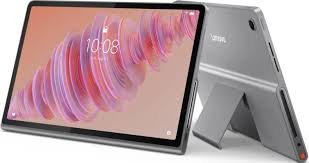
Lenovo also launched the Lenovo Idea Tab Plus in the Idea Tab series, which marks the lineup’s offering of a larger screen and more battery life combined with the provision of a pen. This device is designed for students and Generation Z consumers. Below is a clear explanation of the price, versions, features, specifications, availability, and use of the device.
1) India price, variants, and what you get in the box
Actual Price (India)
As per the India launch specifications, the Lenovo Idea Tab Plus has:
₹27,999 for 8GB RAM + 256GB storage (The starting price has been quoted by Lenovo for the base variant; there are also mentions of the base variant being available for Wi-Fi and 5G, starting at the same prices).
₹30,999 for 12GB RAM + 256GB storage (Wi
In the box
One major pro is that it comes with a Tab Pen, meaning you don’t have to purchase a pen if you want to jot down important notes.
Colour
Comes in Luna Grey. Color options are noted in initial coverage.
2) Sale Date, Pre-order, and Purchase Details
If you are
Availability Timeline
The tablet has been launched with the pre-orders already up, and the device will be up for sale from December 22 (India).
Where to buy
Sales channels mentioned specifically for the Indian market include Lenovo’s website as well as the website of Amazon India.
3) DISPLAY: size, resolution, refresh rate, and brightness
The display screen is one of the primary reasons why this particular model has been created.
Important display specs
12.1-inch LCD
2.5
90Hz refresh rate (scrolling that’s smoother compared to the 60Hz found
High peak brightness of up to 800 nits (which is suitable for a room that has a lot of light)
What this means in practical terms
*If the
The process of studying/reading PDFs/browsing feels more relaxed since you will have more screen real estate compared to the 10-11” tablets.
90Hz: Enhances the “smoothness” experience, with a greater fluidity of scrolling and animations.
800 nits is a high figure for a tablet at this price range and assists in better display in bright surroundings.
A basic 10.1-inch, 60HZ display may have to make do when coming from, but trust when I say a noticeable difference will immediately be apparent.
4) Performance: chipset, RAM, storage, and who it’s for
Processor
MediaTek Dimensity 6400
This isn’t a “flagship powerhouse” processor—but it’s certainly a sufficiently contemporary processor for:
online classes
Video calls
note apps
YouTube/
Casual gaming
multitasking, e.g., split screen notes and browser
Memory & Storage
Up to 12GB RAM
256GB storage options in the variants reported in launch coverage
What variant will you select?
8GB/256GB: Suitable for most student needs, entertainment, classes, note-taking, and multitasking.
12GB/256GB (₹30,999): prefer if you tend to keep multiple apps open, perform intense multitasking, work extensively with multiple documents, or if you simply prefer “future-proofing” for
A quick reality-check (to keep expectations in check)
The student-oriented tab that falls under this price range is meant to have a decent performance, though not even sufficient to replace a laptop, according to reviews that feature the Idea Tab Plus series of products.
IT Pro
5) Cameras: good enough for classes and scanning notes
“Cameras aren’t the primary selling point in this case (as with all tablets), although Lenovo has included all the necessary basics:
13MP camera, rear
8 MP front camera
Use Cases:
Front-facing camera: online learning sessions, video calls with family or friends using Zoom
B. Rear camera: Document scans, whiteboard photo, snapped photos.
Don’t expect high-quality photography like you’d find in a flagship phone—expect
6) Battery & Charging: One of the largest positives
Battery capacity{#
10200mAh
Recharging
45W Wired Charging Support
Why this matters:
Battery anxiety is the death of fun for binge watchers or students. The 10,200mAh battery ensures long battery life even on a large screen, while 45W charging ensures that one can recharge before classes.
7) Connectivity: Wi-Fi models + 5G option, and Bluetooth
Wi-Fi connectivity
Variants that are Wi-Fi only are able to
It also contains a cellular model which provides 5G connectivity
Bluetooth 5.
Who should buy the 5G variant?
If your home Wi-Fi is unreliable
If you travel often (College commute, Coaching, Library, Hostel)
“If you want to attend classes or stream content anywhere without hotspotting from a phone”:
If you find yourself using your tablet mostly at home, you can consider just using Wi-Fi.
8) Software: Version of Android + AI functionality
OS
Runs on Android 15 out of the box
AI/smart tools mentioned together with the device
Launch coverage includes the following as key features:
Lenovo Note Pad
Search by Circle
Gemini (Google AI assistant)
What These Features Do, Together with Some Simple Examples:
Circle to Search: Look at something in a picture/video? Circle it to search without opening a different app. Perfect for learning and product references.
Gemini: Summaries, explanations, writing the message, idea generation, answering questions.
Lenovo Note Pad + Pen: The useful student duo—a notebook for writing, sketches, mathematical calculations, and mind maps.
If you are studying, like exam preparation, diploma notes, etc., then pen and note tools are what really matter in day-to-day life.
9) Design, thickness, and weight (Portability
This is an important aspect because large tablets could easily become “home only” computers if they weigh too much.
According to its own listing, it also has a thickness of 6.29mm and a weight of 530g.
Launch reporting again records the weight as 540g.
These variations are typically because different versions (Wi-Fi or 5G) might have a slightly different weight, but you could consider it to be around ~530-540g.
Practical takeaway:
It’s thin but not ultra-lightweight. Still easily portable with a backpack but you can certainly notice the weight if you use the device with your hand held for a long time. More comfortable with a stand/cover when used for studying or working.
10) Offers and deals that you should check before buying
On the product page snippet of Lenovo India’s offering, the company is advertising “bonus up to ₹20,000 + exchange value” as the format of the exchange offer.
It also hosts a cash back + no cost EMI offers page similar to Lenovo. This page highlights cash back up to ₹10,000 with offers ending on 31Dec2025.
How to use offers smartly (simple checklist):
Find out if your old phone/tablet/computer is exchangeable. Sometimes exchange bonuses are even more attractive during initial sales.
Compare total cost on Lenovo site versus Amazon same day (as bank offers vary).
If you qualify, Lenovo also promotes an additional discount for verified students/teachers on its deal pages. These verification systems use something called SheerID.
11) Who is this Lenovo Idea Tab Plus for?
It will work perfectly for the following four categories of people:
A) Students who want notes + big screen
12.1-inch 2.5K display is useful in viewing PDF files and Gadgets 360 Tab Pen in box cuts unnecessary expenses. Gadgets 360 B) Persons interested in “Netflix/YouTube machine” for ~₹30-31 Large and bright screen + 90Hz is awesome for media and browsing. Gadgets 360 It is powered by a huge battery. This enables the user Gadgets 360 C) Users wanting the convenience of a 5G tablet computer You can prevent continuous usage on the hotspot and have your tablet stay connected. Gadgets 360 D) Light users of light; Not heavy producers. For: notes, documents, email, web surfing, split-screen use. Non-ideal uses: Video editing and professional illustration work (it seems there are known limitations for such users that are discussed in a review of workstations). IT Pro 12) Who should skip it (or at least think twice)? If you demand the sort of power usually characteristic of A higher-end series would be a better choice if you are involved in extensive multitasking, post-production editor work, or any type of creative activity. If you want a smaller and lighter device A 12.1” screen size is good for viewing and note-taking, although if you’re looking at something to read with your hands in bed or to carry around, an 11” or smaller model seems more convenient. If you have an existing laptop and are only planning to use media: “If your primary purpose is merely to use YouTube sometimes, you may be able to save some cash with an entry-level model if you want the pen + larger screen.” 13) Fast buy recommendation (simple and practical) “If you’re purchasing right now in India, here’s the best approach:” Pick 8GB/256GB is recommended if the use is: classes + notes + YouTube + browsing + normal multitasking. Gadgets 360 For smoother use and multitasking, you may prefer 12GB/256GB. Gadgets 360 Use 5G only if you require internet connectivity while being away from a Wi-Fi network. Gadgets 360 compare before checkout: Lenovo exchange offers Lenovo.com Lenovo cash back/no-cost EMI offers (validity period) lenovo Amazon bank offers (these offers keep changing) 14) Final summary (everything important in one place) Lenovo Idea Tab Plus (India) features: Price: ₹ 27,999 (8/256 GB) and Gadgets 360 Sale date: From Dec 22; Pre-orders were announced Gadgets 360 Display: 12.1” LCD 2.5K 90Hz up to Gadgets 360 Chipset: MediaTek Dimensity 640 Gadgets 360 Battery: 10,200mAh + 45 Gadgets 360 Sensors:13MP rear + 8MP front-facing camera Gadgets 360 OS: Android 15 Gadgets 360 “Pen: Tab
Pen included in box” Gadgets 360 Connectivity options include Wi-Fi (a/b/g/n/ac) and Bluetooth 5.2 Gadgets 360 Weight: roughly ~530-540g depending on the